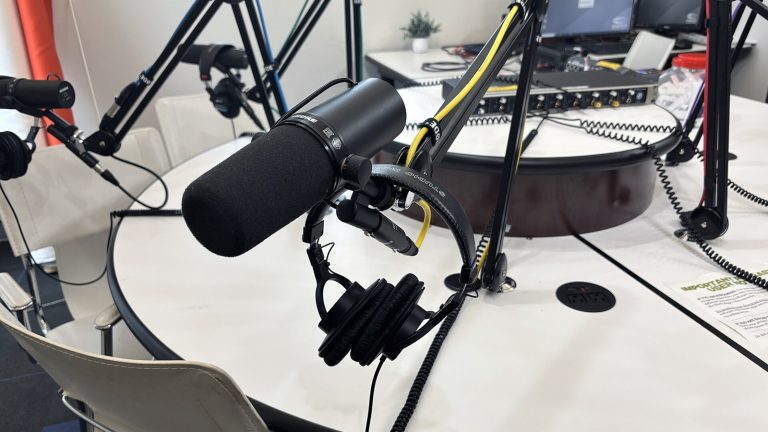
Most remote professionals spend real money upgrading their ergonomic chair, 4K display, and desk microphone—while leaving their employer’s entire cloud infrastructure running across a five-year-old ISP rental router shared with smart TVs, robot vacuums, and houseguests’ phones. In late 2026, security teams and cybercriminals both know that residential Wi-Fi networks represent the softest perimeter edge in enterprise IT.
Building a Zero Trust home office does not require enterprise rack servers or a computer-science degree. Guided by one straightforward rule—“never trust, always verify”—a four-step home upgrade walls off your work laptop from vulnerable smart-home gadgets while replacing phishable passwords and clunky legacy VPNs with modern cryptographic hardware security.
1. Bypass the ISP Combo Box With a Segmentation-Ready Gateway and Wi-Fi 7
Standard ISP modem-router combos prioritize cheap plug-and-play setup over visibility, leaving out deep packet inspection, firewall zoning, and VLAN tagging. As 2026 home-network architecture blueprints recommend, the cleanest foundation is flipping your ISP box into bridge mode and placing a dedicated firewall gateway—such as a Ubiquiti Cloud Gateway, Firewalla Gold, or Netgate pfSense+ router—in front of your home.
Pair that gateway with wired Wi-Fi 7 access points. Beyond multi-gigabit throughput and rock-steady latency for video calls, Wi-Fi 7’s 6 GHz spectrum mandates WPA3-SAE encryption out of the box—eliminating legacy KRACK-style key-reinstallation flaws and blocking offline dictionary attacks while giving work laptops clean spectrum away from crowded apartment-building 5 GHz channels.
2. Segment Your Home Into Three Isolated VLANs
Even a fast modern router leaves your work machine exposed if every device shares one flat local subnet. Using Virtual Local Area Networks (VLANs), carve your home traffic into three isolated zones:
- Trusted Work & Primary VLAN: Dedicated exclusively to employer-managed laptops, verified personal workstations, and encrypted NAS backups, protected by strict DNS filtering and intrusion-prevention rules.
- IoT Sandbox VLAN: Smart thermostats, streaming sticks, robot vacuums, and Wi-Fi plugs get internet access as required, but firewall rules block them completely from initiating local traffic into your Work VLAN—so an unpatched smart camera can never probe your corporate laptop.
- Guest VLAN: Visiting friends and contractors connect to a separate Wi-Fi SSID with client isolation enabled, preventing guest devices from discovering or pinging any local hardware.
3. Enforce FIDO2 Hardware Keys and ZTNA Over Legacy Passwords
Local segmentation locks down your physical desk, while identity controls stop remote credential theft. As ISMS.online’s Zero Trust remote-work guidance notes, SMS codes and even standard authenticator apps can be defeated by real-time AI-crafted adversary-in-the-middle phishing kits. Protect your password manager, primary email, cloud dashboards, and router admin portal with FIDO2 hardware security keys (like YubiKey or Google Titan keys)—and keep a registered backup key stored safely offline.
If you manage private servers, home labs, or sensitive client staging environments while traveling, Cloudi-Fi’s Zero Trust guide also advises trading broad legacy VPNs for Zero Trust Network Access (ZTNA) platforms such as Tailscale or Cloudflare Zero Trust. Instead of dropping a user inside an entire private subnet, ZTNA verifies identity, hardware MFA, and device posture before opening an encrypted micro-tunnel strictly to the single app or port you need.
A Practical Upgrade Order That Fits Normal Budgets
You do not need to rebuild your entire desk network in a single Saturday. Start this week with two $50 FIDO2 hardware keys to lock down your email, password vault, and work SSO; next month, put your ISP box in bridge mode behind a VLAN-capable firewall gateway; and when you next replace aging wireless mesh nodes, jump straight to WPA3-enforced Wi-Fi 7. Your company’s security team—and your own peace of mind on client calls—will notice the difference immediately.
Bonus Resilience: Why Dual-WAN Failover and Power Backup Belong in the Same Rack
Finally, a truly professional home office pairs network security with uptime resilience. Many dedicated gateways—including Firewalla Gold and Ubiquiti Cloud Gateways—support seamless dual-WAN failover out of the box: plug your primary fiber line into WAN1 and a secondary 5G cellular modem or budget cable line into WAN2, backed by a compact uninterruptible power supply (UPS) under your desk. If a winter storm or neighborhood utility crew knocks out primary fiber mid-presentation, your Zoom call keeps running with barely a two-second stutter—and stays wrapped inside the exact same Zero Trust firewall rules.
What About Co-Working Spaces and Coffee Shops When You Travel?
Zero Trust habits do not stop at your front door. Whenever you work away from your home VLAN—inside an airport lounge, hotel room, or neighborhood café—treat every local Wi-Fi network as hostile by default: keep your laptop’s local firewall switched on, disable automatic public-network file sharing, route sensitive traffic through a ZTNA tunnel or trusted WireGuard VPN, and rely on a smartphone eSIM or portable 5G travel router running its own private WPA3 SSID whenever handling confidential client or payroll systems.