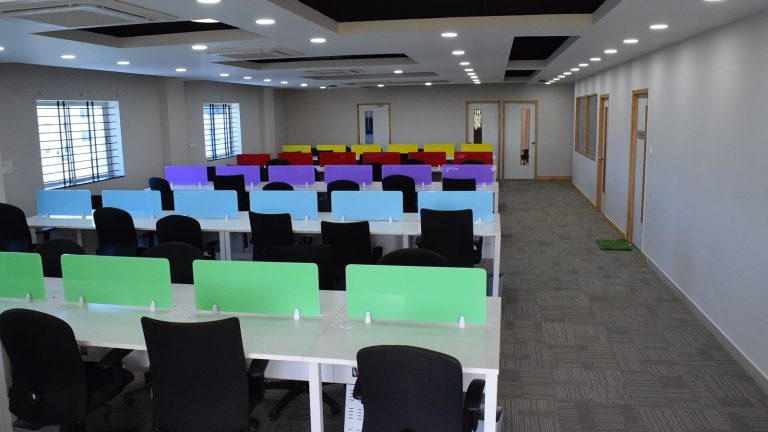
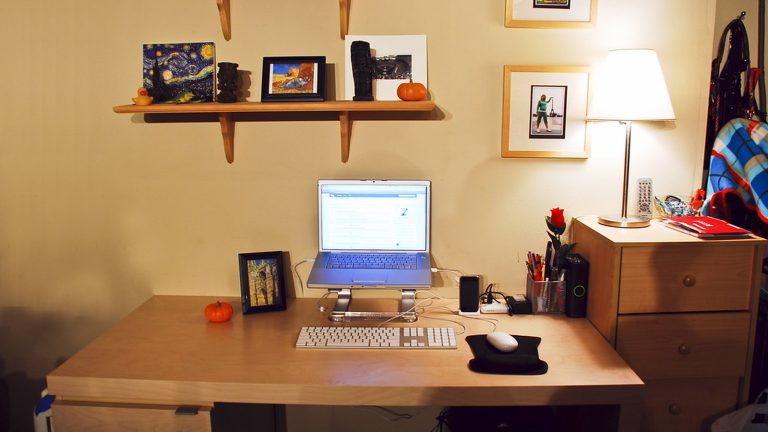
Remote professionals spend 1,800 to 2,200 hours a year at their home desks, yet thousands still work on improvised pandemic leftovers: a 14-inch laptop perched on two hardcover novels, overhead ceiling bulbs casting tired shadows under their eyes, and an echoing laptop microphone broadcasting every refrigerator hum and mechanical keystroke. Now that distributed work is permanent, treating your workspace as one cohesive hardware system pays immediate dividends in neck health, sustained focus, and client credibility.
Instead of chasing random impulse gadgets during Cyber Week sales, upgrading in a deliberate four-layer sequence—ergonomics, display space, audiovisual clarity, and single-cable power—delivers maximum daily comfort per dollar.
1. Fix Posture First: Eye-Level Displays, Monitor Arms, and Neutral Wrists
If your lower back or shoulders ache by 3:00 p.m., no calendar app will rescue your afternoon output. Anchor the room with an adjustable task chair offering dynamic lumbar support, seat-pan depth, and 4D armrests—and pair it with a motorized sit-stand desk if space permits so you can shift postures effortlessly between morning calls and afternoon deep work.
Equally decisive is getting off a hunched laptop screen. As Dymesty’s 2026 home-office hardware breakdown and Insta360’s workspace setup guide emphasize, stepping up to a sharp 27-inch 4K monitor (such as Dell’s S2725QC class) or a 34-inch ultrawide mounted on a gas-spring arm raises the top bezel straight to eye height while letting you park docs alongside code or spreadsheets without constant alt-tabbing. Round out input ergonomics with a split or curved keyboard (Logitech Ergo K860 class) and a vertical mouse that holds forearms in a relaxed handshake angle.
2. Audio Beats Video: Dynamic Microphones Over Laptop Pickups
Ask anyone who endures four remote video calls a day what causes instant listener fatigue: slightly soft 720p video rarely bothers anyone, whereas hollow, room-echoing, or keyboard-clattering audio makes teammates tune out inside five minutes. Built-in laptop mic arrays sit centimeters from spinning cooling fans and pick up every hard-wall reflection in an apartment bedroom.
Stepping up to a dedicated dynamic USB/XLR microphone on a low-profile boom arm (such as Shure MV7-class mics) positioned six inches off-axis from your mouth naturally rejects background HVAC noise and room reverb. If you take frequent calls while pacing or share rooms with family, business-grade wireless headsets with directional noise-canceling boom mics beat open speakerphones in every acoustic test—while over-ear ANC headphones help protect uninterrupted flow between meetings.
3. Lighting and Eye-Level Cameras: Fix Exposure Before Buying Glass
Before dropping $200 on a flagship webcam sensor, look at where your room light sits. Placing a bright window directly behind your chair forces automatic exposure algorithms to crush your face into silhouette. Turn your desk to face natural daylight whenever floor layout permits, or clip an asymmetric LED monitor light bar (such as BenQ ScreenBar or Quntis units) above your display paired with a soft front-facing key light—running crisp 5000K–6000K daylight tones during morning sprints and warmer 3000K–4000K light late in the afternoon to ease eye fatigue.
With lighting balanced, mount an external 1080p or 4K camera—picks reviewed across Deel’s remote webcam guide and PCWorld’s home-office gear picks from Logitech Brio, Insta360, and eMeet—centered along the top bezel of your main display so eye contact looks natural rather than peering up from your chin.
4. Single-Cable USB-C Docking: Zero Friction Between Desk and Travel
The fastest way to ruin a great workstation is forcing yourself to plug in power, HDMI, Ethernet, webcam, mic, and keyboard dongles individually every morning. Consolidate every stationary cable into one USB-C or Thunderbolt docking station (or a 4K display packing 90W+ built-in USB-C power delivery). Setting your laptop onto its stand and snapping in one braided cord turns moving between your home desk and a coworking trip into a frictionless three-second routine.
5. Smart Budgeting: Where to Spend vs. Where to Save on a 2026 Upgrade
You do not need a $3,000 studio budget on day one to feel an immediate upgrade in posture and call polish. Prioritize spending where human biology notices first: invest in a genuinely supportive adjustable chair, a crisp 27-inch 4K panel with an arm, and an eye-level mic and key light before splurging on RGB desk mats or motorized acoustic wall slats. Even adding a simple $35 monitor light bar, a $40 gas-spring VESA arm, and a wired gigabit Ethernet run from your router immediately removes two of remote work’s biggest hidden drains—eye strain and unstable video dropouts.
Once those four layers are dialed in, clear visual clutter off the wall behind you, route power bricks into an under-desk tray, and enjoy a home office that looks calm on Monday mornings and stays pain-free through Friday afternoon. Taking ten minutes to test your microphone gain and webcam framing in a solo test call also catches harsh glare before an important client pitch starts.